Run History

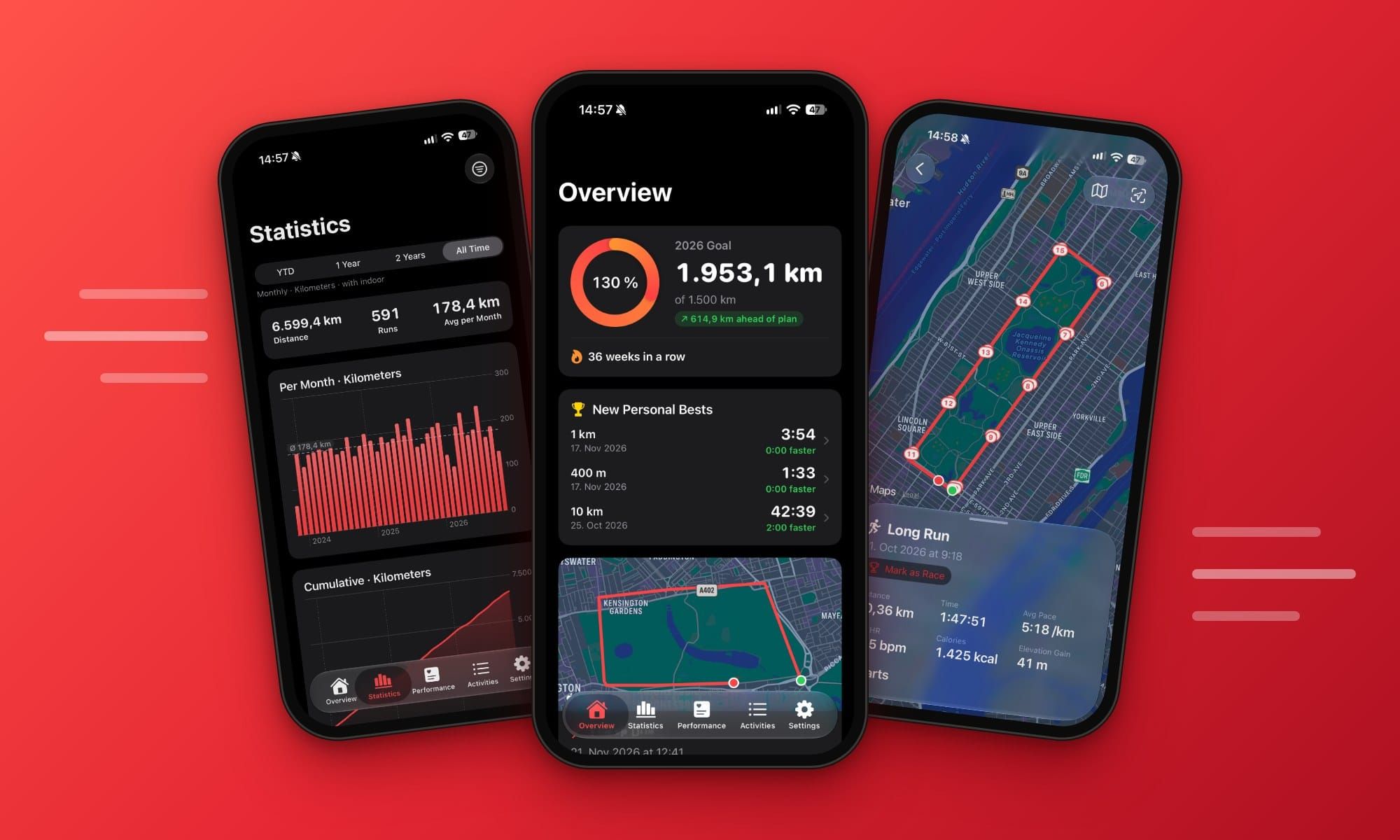
Run History is my own iPhone app for runners. It turns years of running data from Garmin, Coros and Apple Health into clear statistics and fitness trends, and it keeps everything on your device.
Download on the App Store · Read the Run History blog
Why I built it
I have been running for years, and my runs are spread across several watches and platforms. Each one shows me the last few weeks in great detail, but none of them answers the questions I actually care about: How does this year compare to last year? Am I fitter than two years ago? What is my best 10K effort ever, across every watch I have owned?
So I built the app I wanted: one place for an entire running career, independent of the brand of the watch.
What the app does
- Overview: your latest run with its map, plus kilometers and runs for this week, month, year and all time, each compared with the same period last year. Set a yearly goal and see whether you are ahead of it, and keep your weekly streak alive.
- Statistics: distance or number of runs per week, month or year, as bars, as a cumulative line or as a table.
- Performance: VO2max estimates (VDOT after Daniels and ACSM), fitness, fatigue and form (CTL, ATL and TSB), race predictions, best efforts from 400 m to the marathon, critical speed and the efficiency factor.
- Activities: every run with map, kilometer splits, laps and charts for pace, heart rate, elevation, cadence and power.
Your data, from every source
Run History imports:
- the Garmin account data export (the complete ZIP file),
- the Garmin Connect activities CSV,
- the Coros bulk export and single FIT files, straight from the share sheet of the Coros app,
- all running workouts from Apple Health, including route and heart rate.
If the same run arrives from two sources, the app detects the duplicate and keeps the richer version. A FIT file with GPS track replaces a summary without a map, and your title stays.
Privacy by design
The app has no account, no server and no tracking. It does not use any network API at all. All runs live in a local SQLite database on your iPhone, and you can create a backup whenever you like.
Under the hood
For fellow iOS developers, a few notes on how Run History is built:
- SwiftUI and Swift 6 on iOS 26, with view models based on the Observation framework.
- A platform independent core: all logic (import, calculations, persistence, texts and formatting) lives in a local Swift package that does not import UIKit or SwiftUI. It builds and runs its tests on Linux, which keeps the app target thin.
- An own FIT decoder instead of a third party SDK, plus parsers for the Garmin CSV and the JSON summaries of the Garmin export.
- GRDB on SQLite for persistence, with migrations, backup and restore.
- Swift Charts and MapKit for charts and maps.
- AI driven development: most of the code was written with Claude Code in the cloud. Because the core package runs on Linux, an agent can implement features and verify them with Swift Testing without a Mac. I build and ship the app on my Mac. I will write more about this workflow in separate posts.
The Run History blog
Alongside the app I run a dedicated blog about running data. It explains how to get your data out of your watch and what the numbers really mean, for example:
- How to export your Garmin data
- How to export your Coros data
- Fitness, fatigue and form: CTL, ATL and TSB explained
- The efficiency factor in running
The blog is available in English and German.
Try it
Run History is available for iPhone on the App Store. Not sure yet? The app includes a demo mode with three years of sample runs, so you can explore every screen before you import your own data.
Download Run History on the App Store
Feedback and ideas are very welcome. Just send me a message.